One list, in the right order
A tech sees their jobs and nothing else: no dashboard to get lost in, no settings to break, nothing belonging to another job.
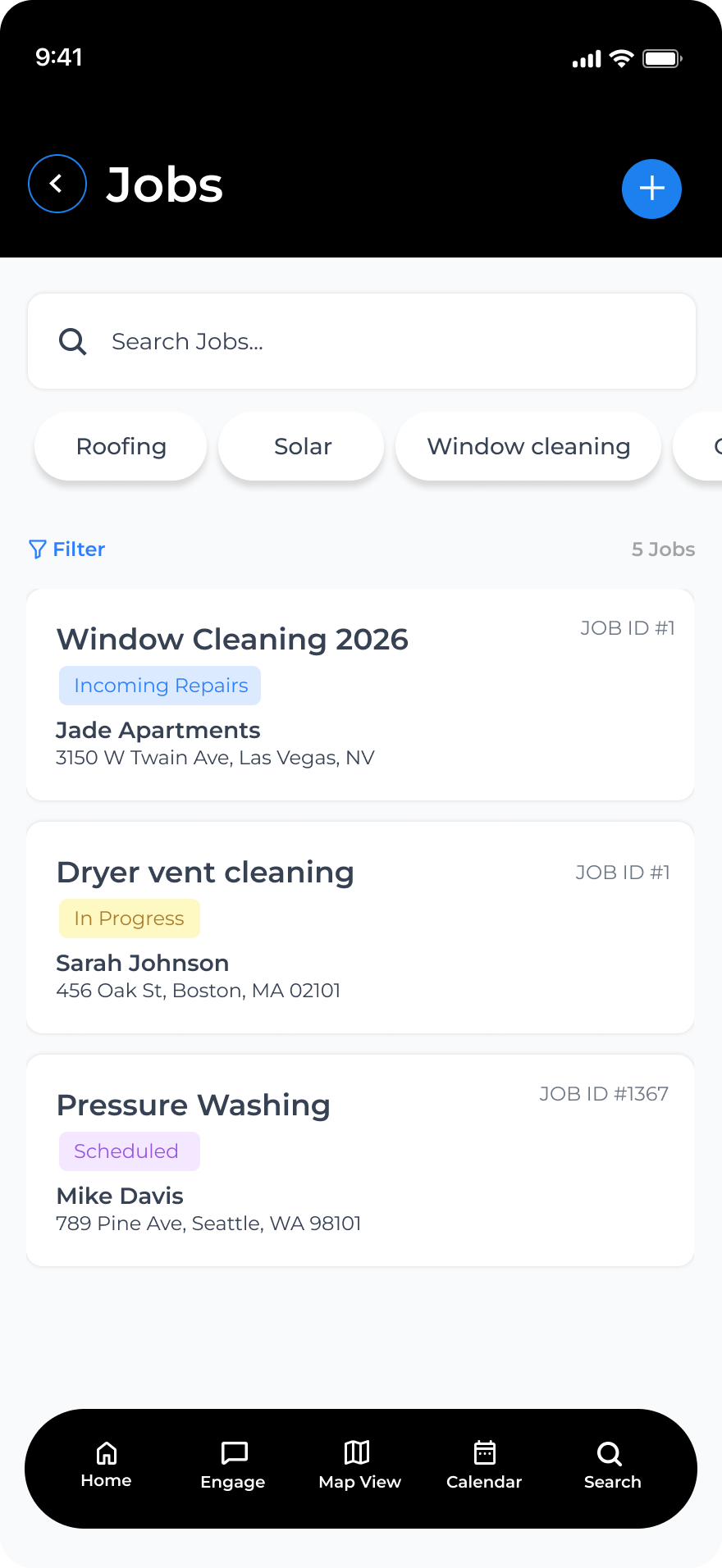
Sorted by what is due, not by whoever shouted loudest
HeadQuarters CRM puts jobs, photos, receipts, hours and crews in one place. Your techs see their own jobs; you see all of them.
Most of this used to live in a group text, a spreadsheet and a glovebox full of receipts. Now it lives in one place, and everyone sees the same thing.
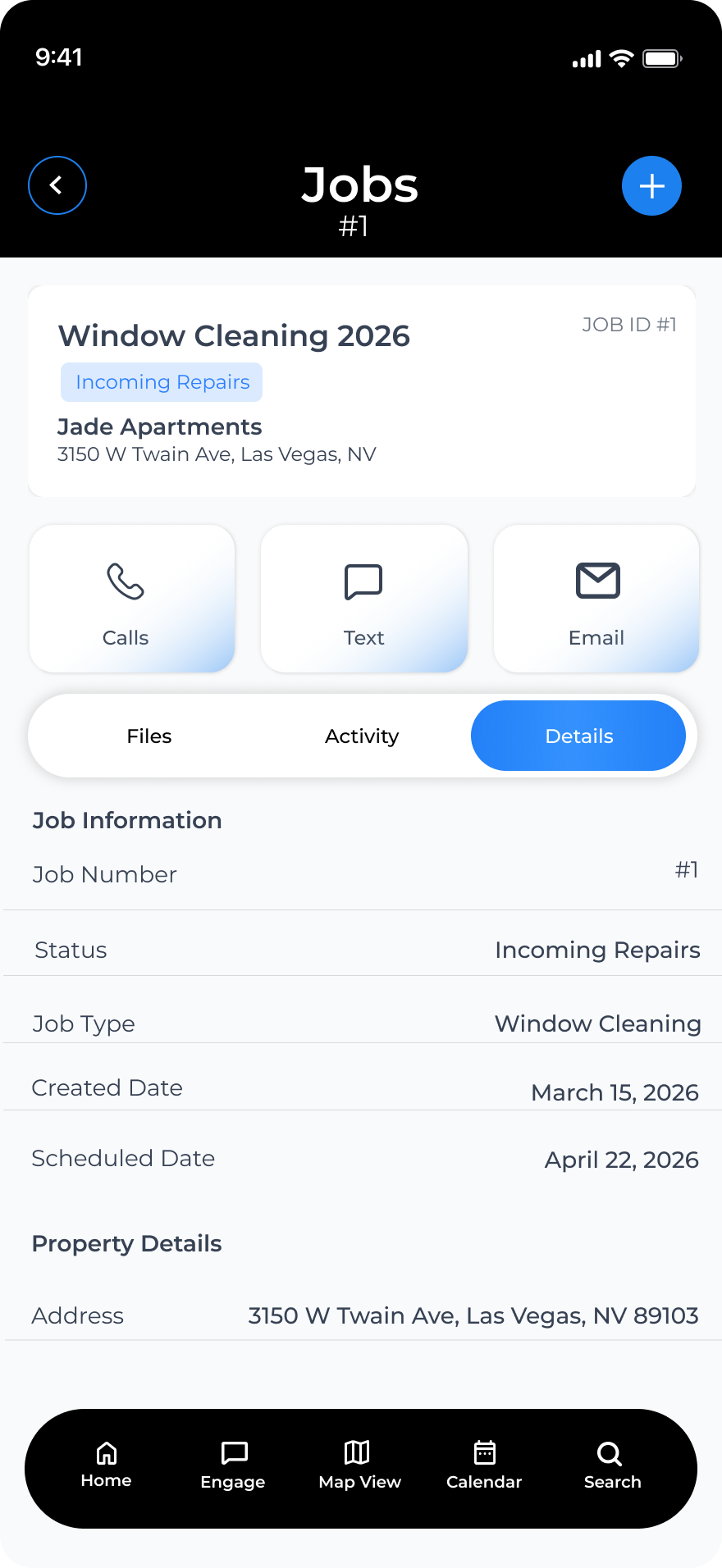
A tenant calls it in, you raise the job, assign a tech and watch it move. Nothing sits in somebody's messages waiting to be forgotten.
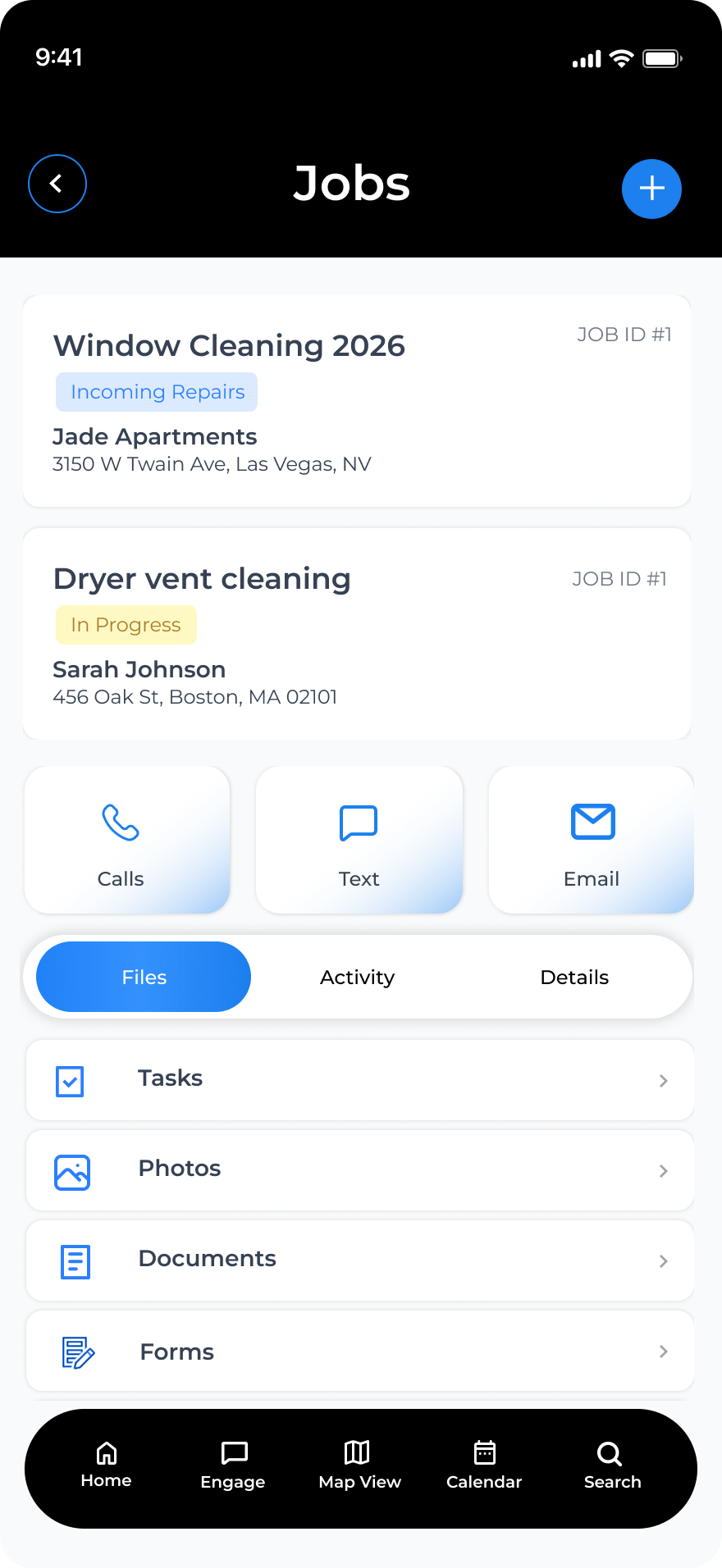
Before and after shots attach to the property, not to a phone. Parts receipts go on the job as they are bought, so nothing is missing when the invoice is written.
Who is on shift, who is booked for tomorrow, which crew has which job. Move a job to another tech and their phone knows before they do.
Every property carries its own history: what broke, who fixed it, what it cost. Turn a unit and the punch list is already there.
The day laid out across the city, every property with an open job pinned. Pick the next one from where you are standing.
Owners, managers and techs each see what they should. A tech sees their jobs, a manager sees the crew's work, the owner sees all of it.
Maintenance happens where the signal does not reach. The app keeps the jobs, photos and notes your tech needs on the phone itself, and sends them up the moment there are bars again.
Why it matters: A job closed from the van at 4pm is on the board that night, not re-typed from memory on Monday morning.
A job's photos are saved on the phone with no signal, then upload by themselves when the signal comes back.
Nothing here needs anybody to sit down at a computer and type up the day afterwards.
Today's jobs, in the order that wastes the least driving. The one with no hot water and two calls already is at the top.
Lead techIt lands on the board unassigned. The office puts it on the tech two buildings away, and her phone has it before she is back at the van.
The officeIt is on the job before the phone is back in a pocket, and on the property's history without anyone re-typing it.
TechFour photos and a note, saved on the phone. They upload themselves in the parking lot a few minutes later. Nobody had to remember to do anything.
TechWhat closed, what carried to tomorrow, whose hours need a look. Nothing to type up.
OwnerThe office screen is for you. This is the part that has to survive a work van, a basement and a pair of wet gloves.
A tech sees their jobs and nothing else: no dashboard to get lost in, no settings to break, nothing belonging to another job.
Sorted by what is due, not by whoever shouted loudest
Before and after photos, notes and the parts receipt live on the job for good. When a tenant disputes it in March, the March answer is already there.
Works with no signal. Uploads itself when bars return.
Busy season adds people and quiet months drop them. You pay for who is actually using it.
plus $9 a month for each additional person
The first person is included in the company price.
Have a discount code? It is entered at checkout.
Prices in US dollars, billed monthly by card.
Add or remove people from your billing page whenever the crew changes.
HeadQuarters CRM started as the in-house tool of a property-maintenance company running multi-trade crews. It was used on real jobs, by real crews, before it was offered to anyone else. What is here is what that work needed.
No. A tech sees their own jobs and nothing else: open one, add photos, mark it done. The buttons that matter are big enough for gloves.
The app keeps working. Photos, notes and status changes are saved on the phone and sent when it has a connection again.
You add contacts, properties and jobs directly in the app. There is no import tool today; if you have a large list, tell support what format it is in.
Owners see everything. Managers see the crew's work, never the owner's. Techs see the jobs they are assigned to. Documents and past history can be opened up per person by the owner.
Nothing, for 10 days: everything keeps working while you sort the card out. Then the account becomes read-only, then locked. Data is kept for five years and deleted after that. Pay again and it all comes back.
Set it up this afternoon, run a full week on it, then decide.